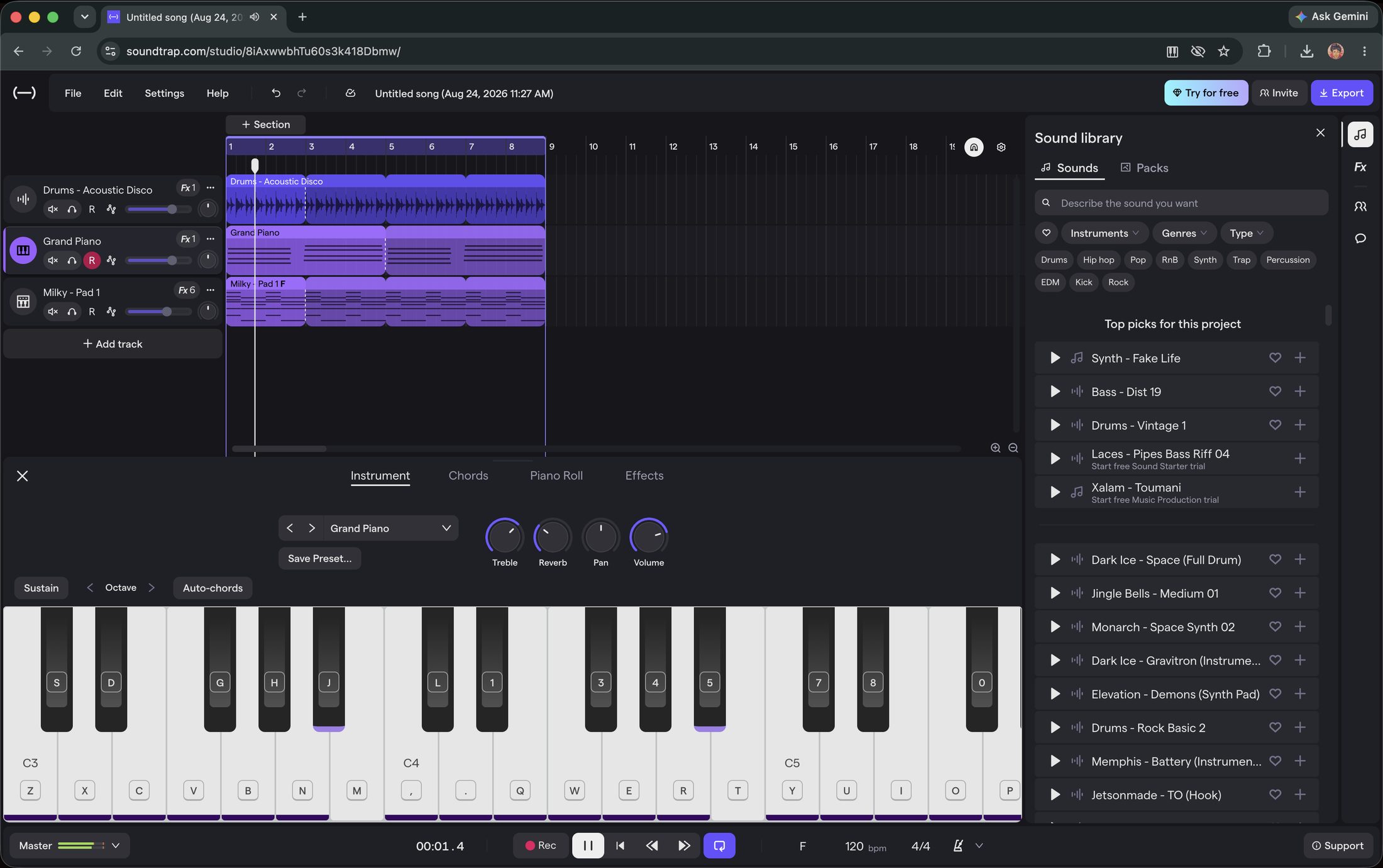
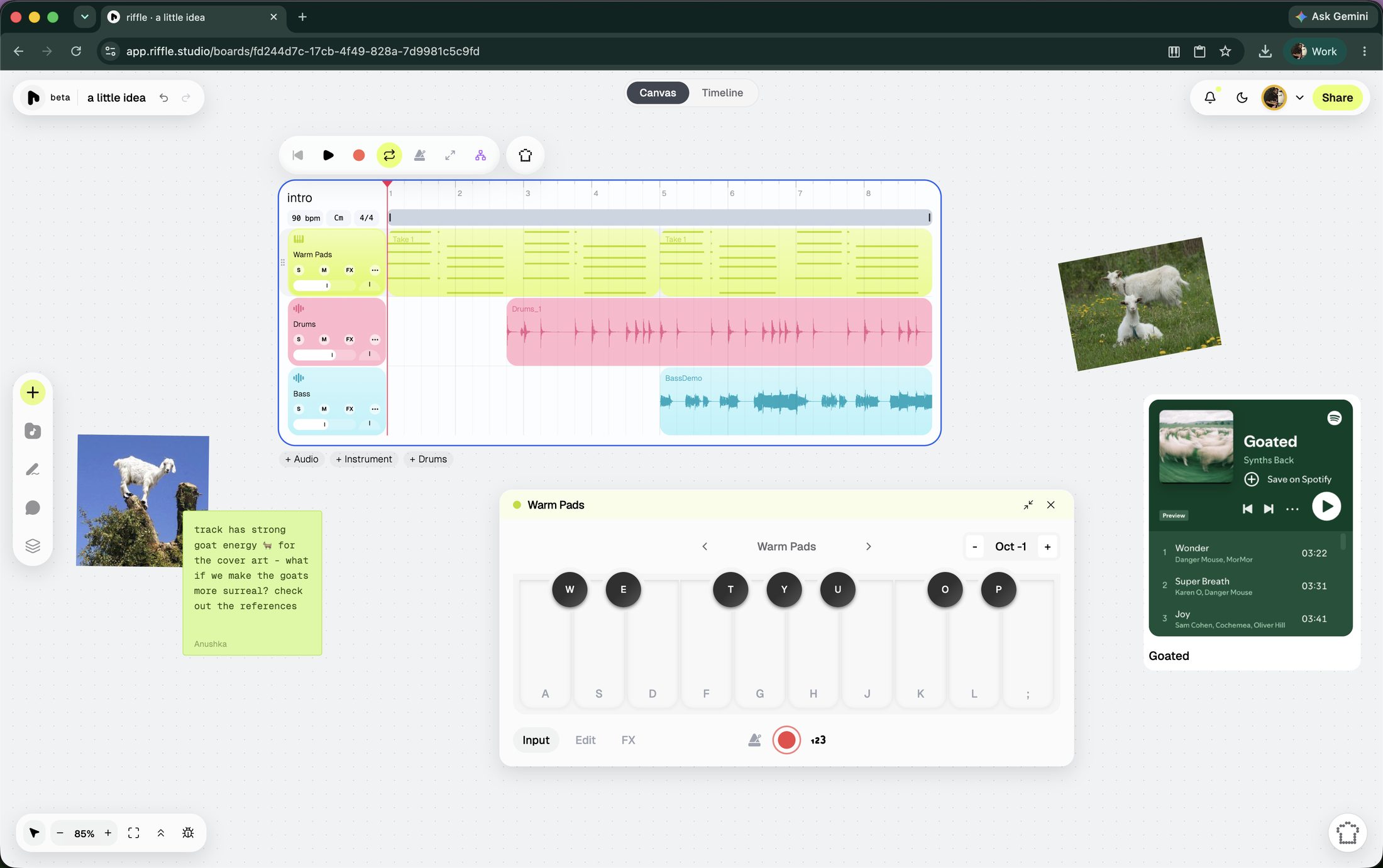
Here’s a closer look at riffle and Soundtrap, and what each one is really good at, so you can figure out which one belongs in your workflow.
at a glance
| riffle | Soundtrap | |
|---|---|---|
| Price | Currently free for all | Subscription, roughly $10-18/month depending on tier, with a limited free tier |
| Designed for | Anyone with musical intent | Classrooms, podcasters, remote teams |
| Workspace | An infinite canvas, and a timeline mode when you're ready to lock in | Timeline DAW |
| Collaboration | Real-time remote collaboration | Real-time remote collaboration |
| AI tools | A single co-producer that can do the grunt work, generate raw material, and act as a coach | A couple of specific tools - Smart Drummer (auto-generated MIDI drum patterns) and AI Vocal Cleanup |
| Loop library | Genre-organized samples and instruments | A wide library of loops, samples, and one-shots |
Which one's right for you?
Choose Soundtrap if you want:
- Lesson plans, student rostering, and LMS integrations for a classroom
- Podcast-specific tools: transcription, vocal tuning, AI cleanup
Choose riffle if you want:
- A free tool, with nothing locked behind a subscription
- To get from idea to output with the least amount of friction
- A canvas that holds multiple ideas side by side, instead of committing to one timeline
- A sous chef that can handle the grunt work, and help you when you're stuck
Soundtrap: a closer look
Soundtrap is a browser-based DAW built around three things: real-time collaboration, podcasting, and education.
You can have multiple people recording and editing in the same project at once, which makes it much more natural for remote collaboration than the typical desktop DAW.
For podcasters, there's a whole suite of tools: transcription, a Vocal Suite with things like real-time pitch tuning and doubling, and AI Vocal Cleanup. For beatmakers, Patterns Beatmaker handles drum programming, while Smart Drummer can generate editable MIDI drum patterns in styles ranging from Hip-Hop to Reggaeton and House.
Education is another major part. Soundtrap for Education is effectively a separate product, with lesson plans, student management, COPPA compliance, and integrations with Canvas, Schoology, Google Classroom, and Microsoft Teams.
Pricing sits around $10–18/month depending on the plan, with a free tier and trial. The free version is useful for getting a feel for the product, but you hit its limits fairly quickly.
Soundtrap can also feel a little less polished once you push it harder. Larger projects can get sluggish, and the experience isn't always as smooth as you'd hope, particularly on mobile. It's a very approachable entry point into music creation, but that simplicity doesn't necessarily translate into the best experience once your projects get more ambitious.
riffle: infinite canvas for music
riffle is a browser-native modern musical ecosystem, built for how music actually gets made today. Open a board and there are several ways in: record audio into your mic, play a virtual instrument, drag in a sample to set the vibe, jam with the sampler, use/remix a template, or ask sous chef (our intelligent, ethical, assistive AI) for a starting point. The canvas also accepts images, embeds, and notes, so reference material lives right next to the music instead of in a separate tab.
Real-time collaboration is one of riffle's core features. Invite friends or collaborators to edit the board and build a track with you live, or bring someone in as a comment-only collaborator if you're looking for feedback.
When a stack is ready, turn it into a drop: a track or stack shared publicly, straight from riffle. Give it a cover art, and decide whether it stays private, goes fully public, or gets sent directly to whoever needs to hear it. Anyone can listen and comment through a drop link - no download or account required.
Your work isn't trapped in the platform once you're done, either. Export lets you choose specific stacks or individual stems, downloadable as .wav or .daw files, ready for any tool you may want to use, including Soundtrap.
Sous chef is an AI co-producer that lives on every riffle board. On principle, it does not generate full songs - what it generates are samples, 2/4/8/16 bar loops you duplicate, chop, stretch, and reshape however you like. It can split a track into two or six stems, detect tempo & key of imported audio files, and edit clips directly on the board. You can also talk to sous chef, if typing isn't your thing.
The same assistant also picks up less glamorous jobs - one-click mixing and mastering, listening to what you've made and giving specific, honest notes on what to change, and more. By default, changes the sous chef makes are previewed before they're applied.
Also, riffle does not and never will use models that aren't ethically trained. The same principle shows up in how sous chef behaves too - it favors surfacing a sound that already exists over generating a new one, and when it does generate, it aims for the smallest, cheapest version.
riffle is currently in beta and free for early users.
faq
Is riffle or Soundtrap better for beginners?
If you want to start making music without first learning how a DAW works, riffle is the easier place to start. You can get something going in minutes without having to map out an entire song upfront. If you're making music in a classroom or recording a podcast, Soundtrap is probably the better fit.
Can I move work between riffle and Soundtrap?
riffle lets you export individual stems or full stacks as .wav or .daw files, so you can take your work into Soundtrap or pretty much any other music software.
Is riffle a DAW?
riffle is a music-making tool, but it doesn't work like a traditional DAW. Instead of starting with a linear timeline and building from left to right, you get an infinite canvas where you can collect ideas, experiment, arrange them, and collaborate. There's also a timeline mode for when you're actually ready to lock in.
Can I collaborate with other people in riffle?
Yes. Multiple people can work on the same board in real time, or you can invite someone just to listen and leave comments.
Does riffle use AI to make songs?
Sous Chef can generate samples and loops, but the idea is to give you material to work with rather than hand you a finished song. It can also edit your board, manipulate audio, mix and master, and give you feedback on what you've made.
Is riffle free?
riffle is currently in beta and free for early users.
riffle is free while we're in beta.
open a board and make something in the next few minutes.
free · no download · no card required