Both Suno and riffle let you skip years of production experience and escape the DAWs - but that's where the similarities end. From there, they pull in opposite directions.
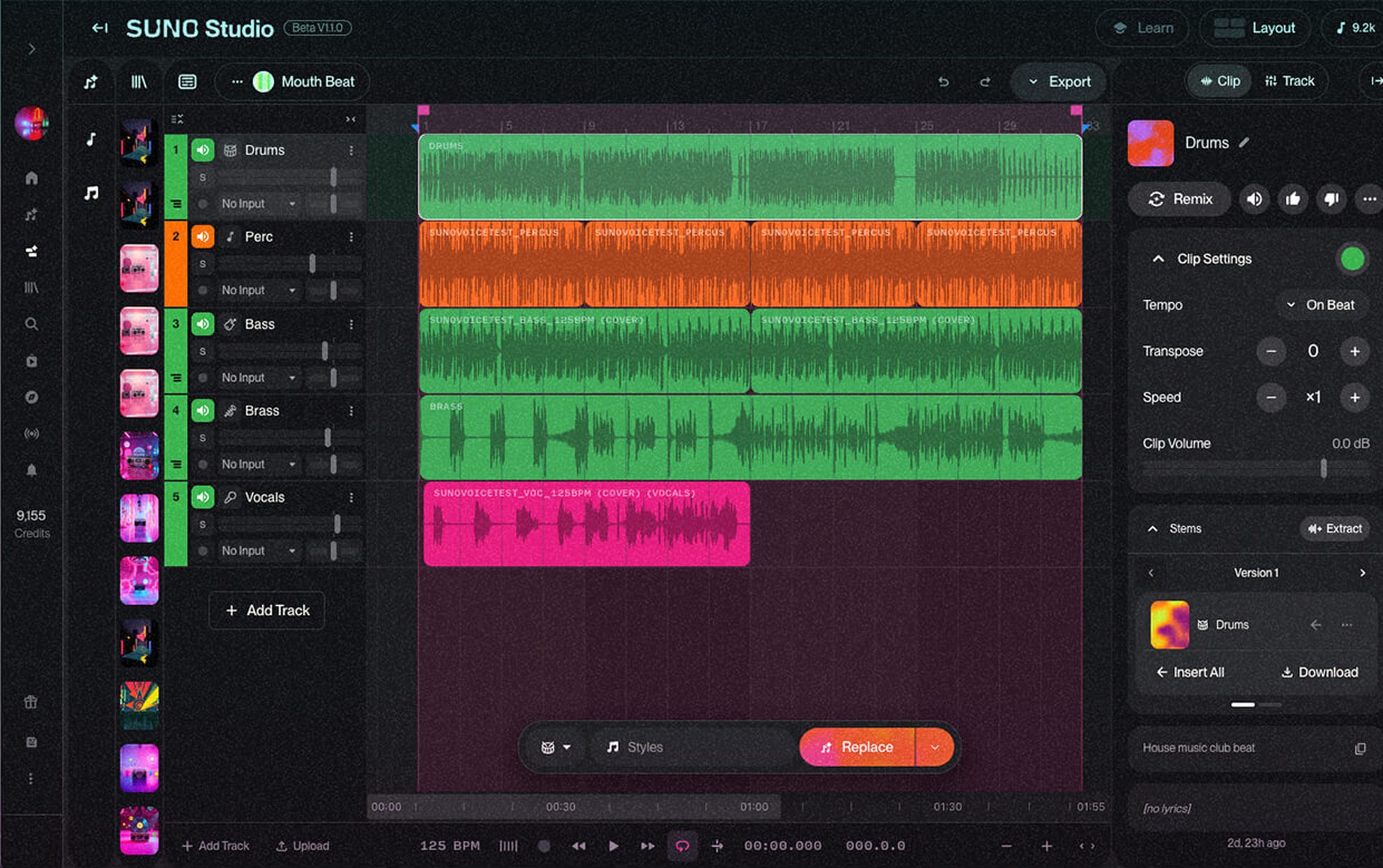
In September 2025, Suno realized there's merit to the act of creation as well. So now there's Suno - the infamous prompt box - and there's Suno Studio, a paid layer bolted on top for people who want to fix what Suno made.
Let's take a closer look at all three.
at a glance
| riffle | Suno | Suno Studio | |
|---|---|---|---|
| What is it? | Musical ecosystem, with AI on call | AI music generator | Generation-first editing workstation |
| How do you start? | Recordings, samples, prompts, templates | Text prompt | A Suno generation, or a stem from your library |
| Can you edit individual parts? | Yes, by default | No - it's one-shot | Yes, but the workspace is built around generating more |
| Real-time collaboration | Yes | No | No |
| Access | Free for early users | Free tier available | Gated behind Suno's top paid plan |
| Structure | Infinite canvas + timeline for when you want to lock in | One prompt, one result | Linear timeline, like a traditional DAW |
which one's right for you?
Opt for Suno if you want to:
- Get a complete song in under a minute - no skill, no taste, no problem
- Mass-produce forgettable music
- Be on the wrong side of history
- Churn out crime-stained music that's trained on unethical data
Pay for Suno Studio if you want to:
- Take a Suno generation further without leaving Suno's ecosystem
- Edit stems, adjust pitch and BPM, export MIDI
- Waste your hard earned money
Opt for riffle if you want to:
- Actually make and develop a song
- Control the individual parts
- Record your own ideas into the mix
- Experiment with sounds and arrangements
- Collaborate with other people, live
- Use AI without handing it the whole process
- Keep working on something after the first generation
Suno hands you a finished song. riffle helps you make one.
Suno: a closer look
Suno's appeal is straightforward. If you have an idea, you can hear a version of it almost immediately. Pick a genre, a mood, an instrument, a vibe - hand it over, click generate, and be on your merry way.
If you put the ethical and philosophical considerations* aside, this is a perfectly functional workflow for the average doom-creator. But if you want to make something with your soul in it, something far too specific that only your hands and your mind can craft, you will need a studio.
"Specific" looks like - keeping the chorus but changing the drums, adding something you recorded yourself, taking the melody from one version and putting it over another, making the bass darker, extending the ending, getting a friend into the project and actually working on it together.
In other words: exercising your taste and creative judgement, making decisions, and changing your mind. At this point, you're actively creating something. And Suno is not built for active, human-led creation.
* Sony and Universal are still suing Suno over training on copyrighted recordings without a license - Warner settled in November 2025, but the other two majors haven't - and a German court ruled against Suno on several fronts in mid-2026, ordering it to disclose the scale of what it used. Independent artists have filed their own class action alleging most of that training data came from working musicians who never opted in and won't see a cent of any settlement, major-label or otherwise.
what about Suno Studio?
Once you get past the prompt bar, you reach three tiers. The free plan comes with a small daily credit allowance and no commercial rights. Pro runs $8 to $10 a month and Premier runs $24 to $30, depending on monthly or annual billing, at roughly five credits per song. Pro's monthly pool covers around 500 songs while Premier's covers around 2,000, both with commercial rights attached. Premier is also the only plan that opens the door to Suno Studio.
Suno Studio is essentially a workstation built around the proposition that the AI should make the music and you should clean up after it.
You get a browser-based multitrack timeline, up to 12-way stem separation, section-targeted regeneration, EQ, Warp Markers, MIDI export, and saved Vocal Personas you can reuse across projects. A recent 2.0 update turned the old Cover/Remix bar into a full chat bar - you talk to Studio like a collaborator, asking it to generate an audio or MIDI clip, build a custom plugin, or arrange the song.
Suno Studio doesn't give you more control. It takes the parts that should be yours - the melody, the edit, the arrangement - and does them without you. What's left for you to do? Watch. For $288 a year.
We'll leave it to you to decide whether that's a price worth paying - financially, creatively, or karmically - for a morally bankrupt, ethically rancid piece of shii technology.
riffle: multiplayer musical canvas
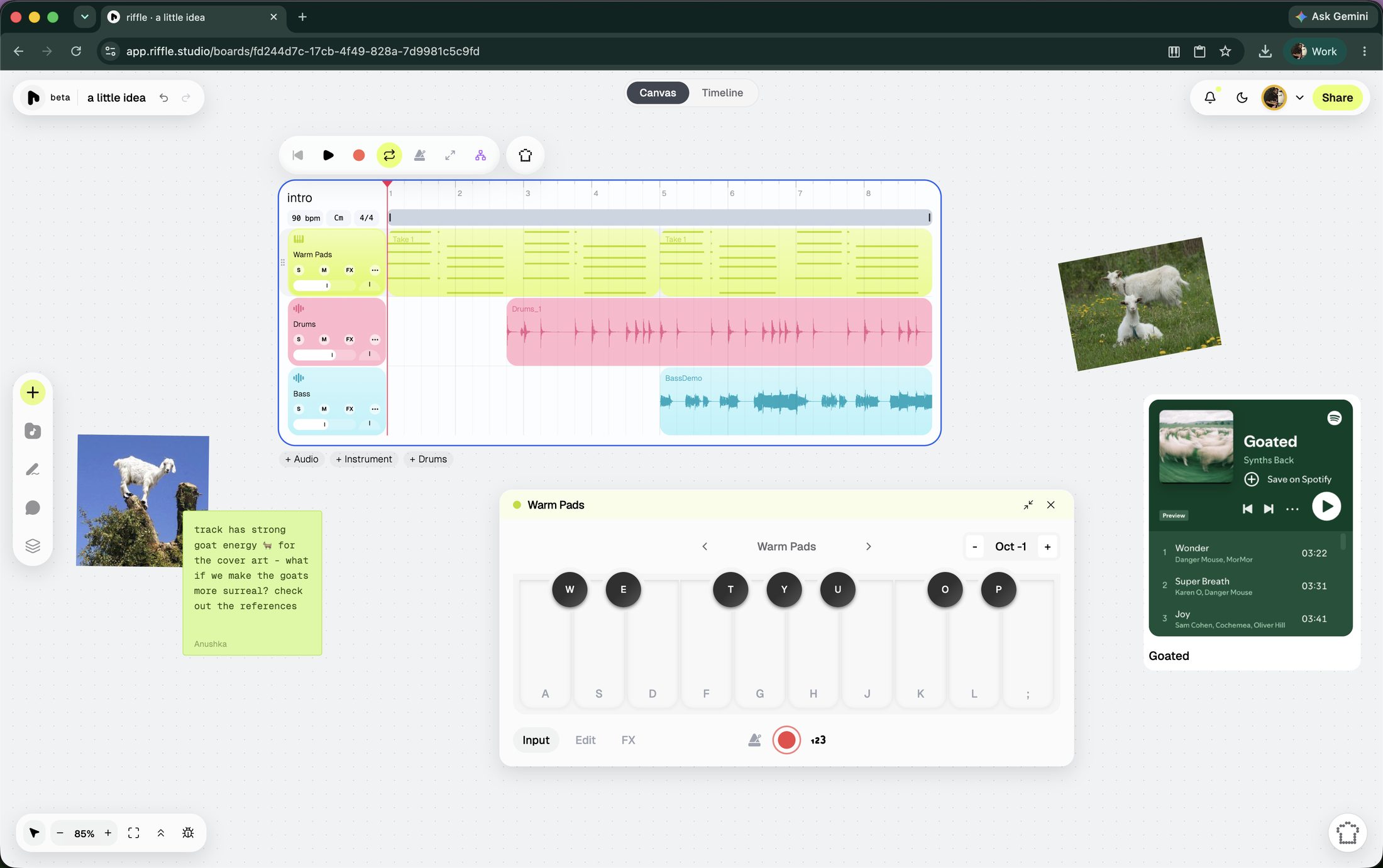
riffle is a browser-native modern musical ecosystem, built for how music actually gets made today. Open a board and there are several ways in: record audio into your mic, play a virtual instrument, drag in a sample to set the vibe, jam with the sampler, use/remix a template, or ask sous chef (our intelligent, ethical, assistive AI) for a starting point. The canvas also accepts images, embedded links, and notes, so reference material lives right next to the music instead of in a separate tab.
Real-time collaboration is one of riffle's core features. Invite friends or collaborators to edit the board and build a track with you live, or bring someone in as a comment-only collaborator if you're looking for feedback.
Also, your file isn't the only thing you can share - this is the point where riffle stops being just an audio playground and starts growing into a musical ecosystem. When a stack is ready, turn it into a drop: a track or stack shared publicly, straight from riffle. Give it a cover art, and decide whether it stays private, goes fully public, or gets sent directly to whoever needs to hear it. Anyone can listen and comment through a drop link - no download or account required.
Making, collaborating, and releasing all sit on the same surface, instead of getting handed off between three separate apps the way they usually are. Your work isn't trapped in the platform once you're done, either. Export lets you choose specific stacks or individual stems, downloadable as .wav or .daw files, ready for DAWs or any other tools you may want to use.
On the "does the AI just do it for you" question: by design, it doesn't. The sous chef never generates a full song - what it generates are samples, 2/4/8/16 bar loops you duplicate, chop, stretch, and reshape however you like (the underlying model can generate up to 10 minutes, but riffle caps it far below that on purpose). It can split a track into two or six stems, detect tempo & key the moment something's imported, and edit clips directly on the board. Start an empty board by voice instead of typing, if that's faster for the idea in your head.
None of this happens without your say-so: by default, changes the sous chef makes are previewed before they're applied. The same assistant also picks up less glamorous jobs - one-click mixing and mastering, listening to what you've made and giving specific, honest notes on what to change, and more.
You don't have to choose between AI speed and creative control. AI is there when you want it - to spark an idea, fill in a part, get you unstuck, handle the grunt work. If you don't want it, you don't have to touch it. It's a tool you reach for, not the thing the entire product is scaffolded around.
Also, riffle does not and never will use models that aren't ethically trained. The same principle shows up in how sous chef behaves too - it favors surfacing a sound that already exists over generating a new one, and when it does generate, it aims for the smallest, cheapest version.
riffle is currently in beta and free for early users.
faq
Is riffle an AI music generator?
riffle is a modern canvas for music creation. It has an intelligent, ethical, assistive AI built in, but it sits inside a bigger studio environment. The sous chef can suggest a chord, generate sounds, or give honest feedback when asked - it doesn't write full songs, and by design, anything it changes on the board gets previewed before it's applied.
Can beginners use riffle?
Yes. Experienced producers and first-timers both. The canvas and AI tools exist specifically to help skip the technical barrier a traditional DAW throws up.
Do I need to know music production to use riffle?
No. Work with recordings, loops, samples, drum kits, and generative material without ever having opened a DAW. Intent matters more than technical skill here.
Can I collaborate with other people on riffle?
Yes, in real time, with multiple people on the same canvas.
Can I make a complete song on riffle?
Yes - idea to finished, shareable track.
Is riffle free?
Currently, yes.
riffle is free while we're in beta.
open a board and make something in the next few minutes.
free · no download · no card required