at a glance
| riffle | Logic Pro | |
|---|---|---|
| What it runs on | Any browser | Mac and iPad only - no Windows, no Android |
| Price | Free during beta | $199.99 one-time on Mac, or a $12.99/mo (or $129/yr) subscription bundle that adds iPad access plus Final Cut Pro, Pixelmator Pro, and other Apple apps |
| To start | Open a tab | Download from the App Store - a 70GB+ install |
| Workspace | A canvas to play around in, and a timeline when you want to lock in | A timeline |
| Sound library | Genre-organized samples plus an AI assistant | Huge - one of the best bundled libraries around |
| AI features | One assistant that can do it all | Chord ID (harmonic analysis), Stem Splitter, Mastering Assistant, AI Session Players for backing tracks |
| Collaboration | Everyone editing at once, by default | None - single-user |
| Works offline | No - needs a connection | Yes, fully offline once installed |
which one should you use?
Choose Logic Pro if you want:
- A professional-grade DAW - mixing, sound design, dolby atmos support
- A massive bundled sound library and the AI tools added in version 12
- Something that works fully offline, with no subscription required for the Mac version
Choose riffle if you want:
- Something that runs on Windows, Chromebooks, or Android, not just Apple gear
- A more open-ended way to start and develop ideas
- Real-time collaboration
- A canvas where audio, notes, images and references can live together
- A browser-based workflow that works across devices
Logic Pro: a closer look
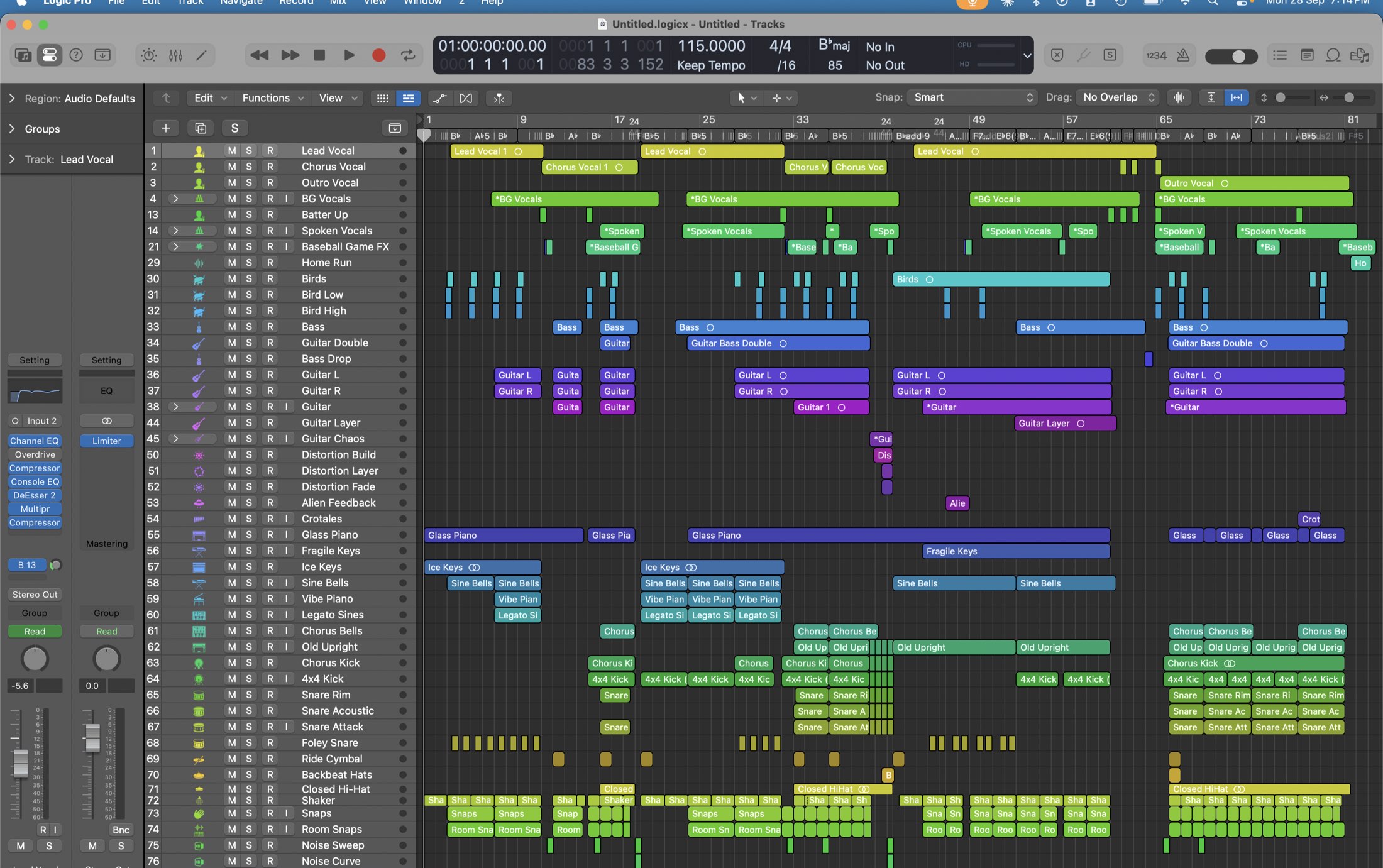
Logic Pro is a powerful, full-featured DAW with pretty much everything a serious producer needs: deep editing, MIDI, instruments, plugins, automation, mixing, and mastering. If you already know your way around a DAW, there’s a lot to love here.
Its newer AI tools add some useful shortcuts too, from identifying chords and splitting stems to generating backing parts. They make some jobs faster without changing the basic Logic workflow.
The tradeoff is that Logic has a learning curve. It’s built for detailed production, so it can feel like a lot if you’re just trying to sketch out an idea or experiment. It’s also designed primarily for individual work, with no real-time collaboration.
riffle: infinite canvas for music
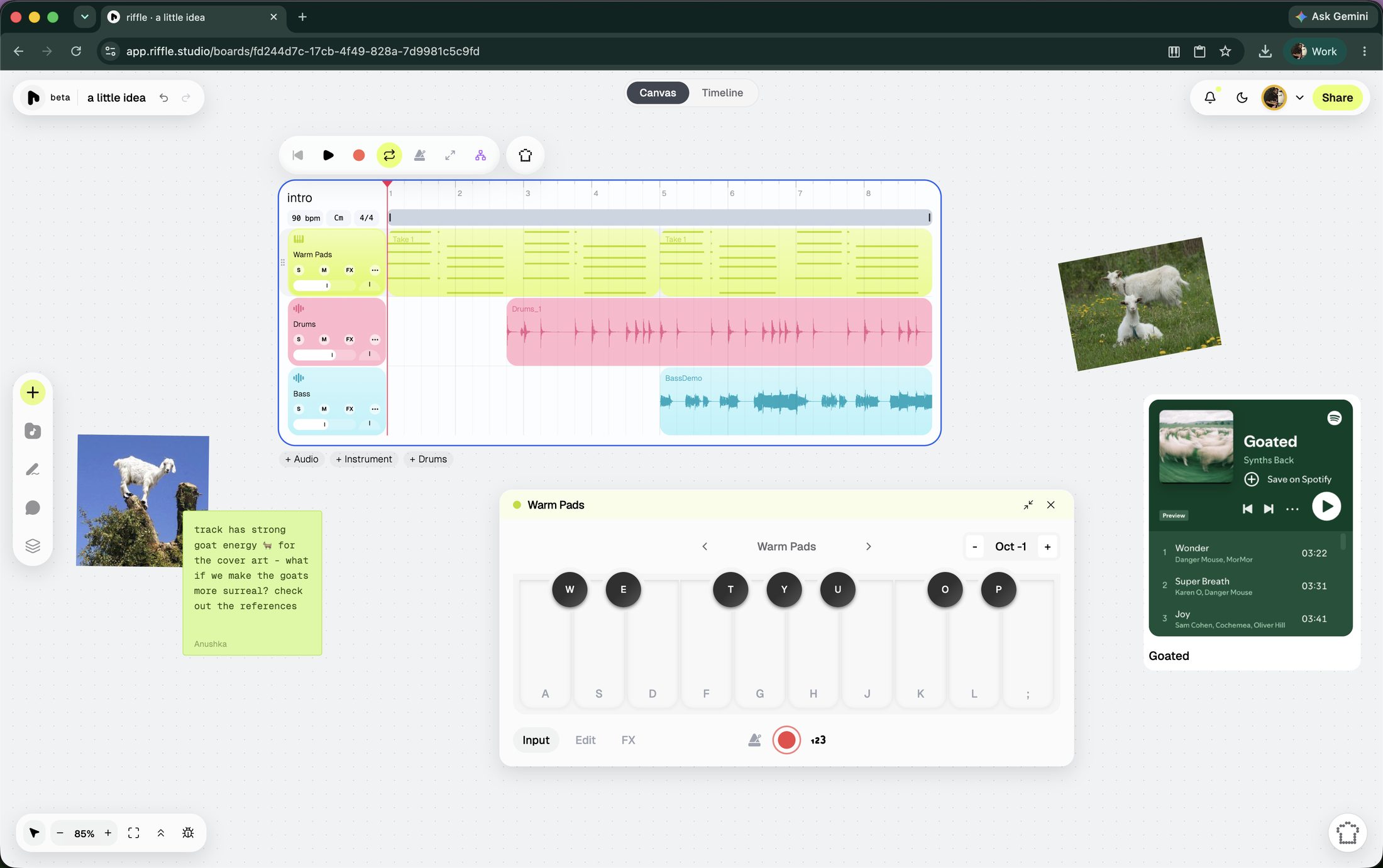
riffle feels less like a traditional DAW and more like a musical workspace you can mess around in.
Everything happens on a canvas instead of a timeline. You can record audio, play a virtual instrument, drag in a sample, remix a template, or ask Sous Chef (the resident AI assistant) for a starting point. The canvas also holds lyrics, images, links, and notes, so references and ideas can sit right next to the music.
Collaboration is built in too. Multiple people can work on the same board at the same time, which makes it easy to actually make something together rather than sending project files back and forth. There’s also a comment-only option for people who just want to listen and leave notes.
The AI assistant ‘Sous Chef’ is not really trying to make an entire song for you. Instead, it helps with the smaller parts of making one. It can generate short samples and loops, split tracks into stems, detect the tempo and key of an audio file, edit clips, and help with mixing and mastering.
Once a track is ready, it can become a Drop - basically a shareable link to the music. Drops can be private, public, or sent directly to someone, and anyone with the link can listen without an account.
The music can also leave riffle. Individual stems and full mixes can be exported as WAV files, or the project can be exported as an OpenDAW file for further work elsewhere.
riffle is currently in beta and free for early users. see what’s been shipped lately.
faq
Is there a Logic Pro for Windows?
No, and Apple hasn't signaled one's coming. It's Mac and iPad only. riffle works in any browser, so a Windows laptop or Chromebook can be a studio without installing anything.
Is Logic Pro free?
No. The Mac version is a one-time $199.99 purchase; a $12.99/month (or $129/year) Apple Creator Studio subscription adds iPad access plus several other Apple apps. Either way, you need the hardware first, which usually costs more than the software does. riffle is free and runs on whatever you already have.
I'm a beginner - is Logic Pro too much to start with?
Probably. It expects you to already know your way around a DAW. riffle is a cheaper way to find out whether you'll stick with making music at all - it's free, it's simpler, and you'll actually have fun in the process.
riffle is free while we're in beta.
open a board and make something in the next few minutes.
free · no download · no card required