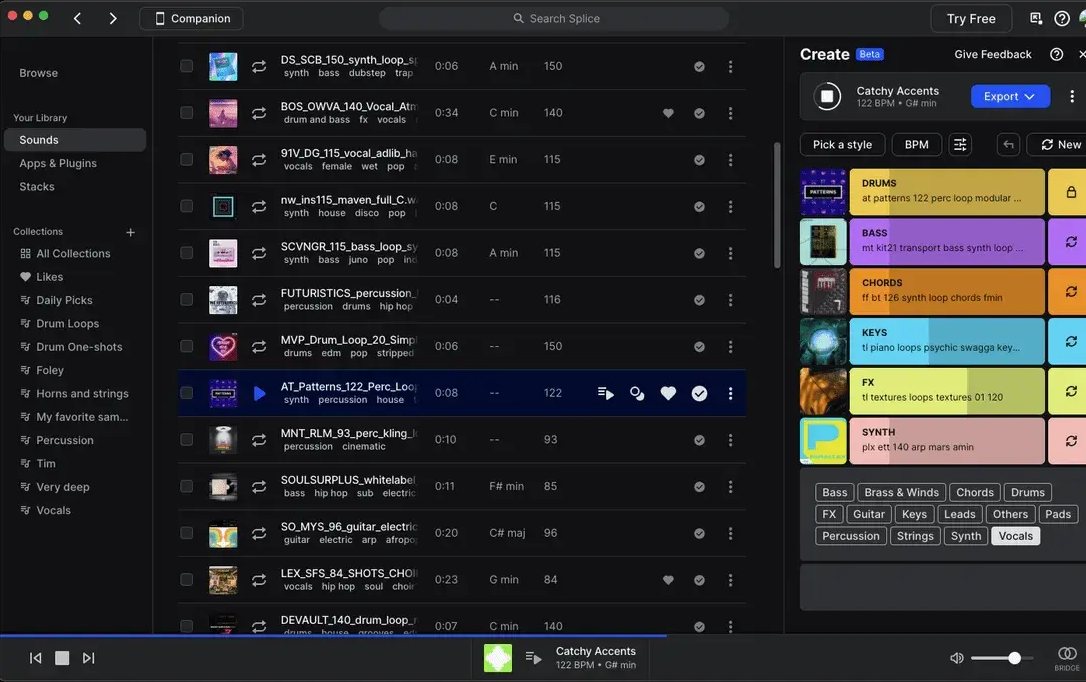
But Splice doesn’t give you anywhere to build the track - that part still happens in whatever DAW you’re already using.
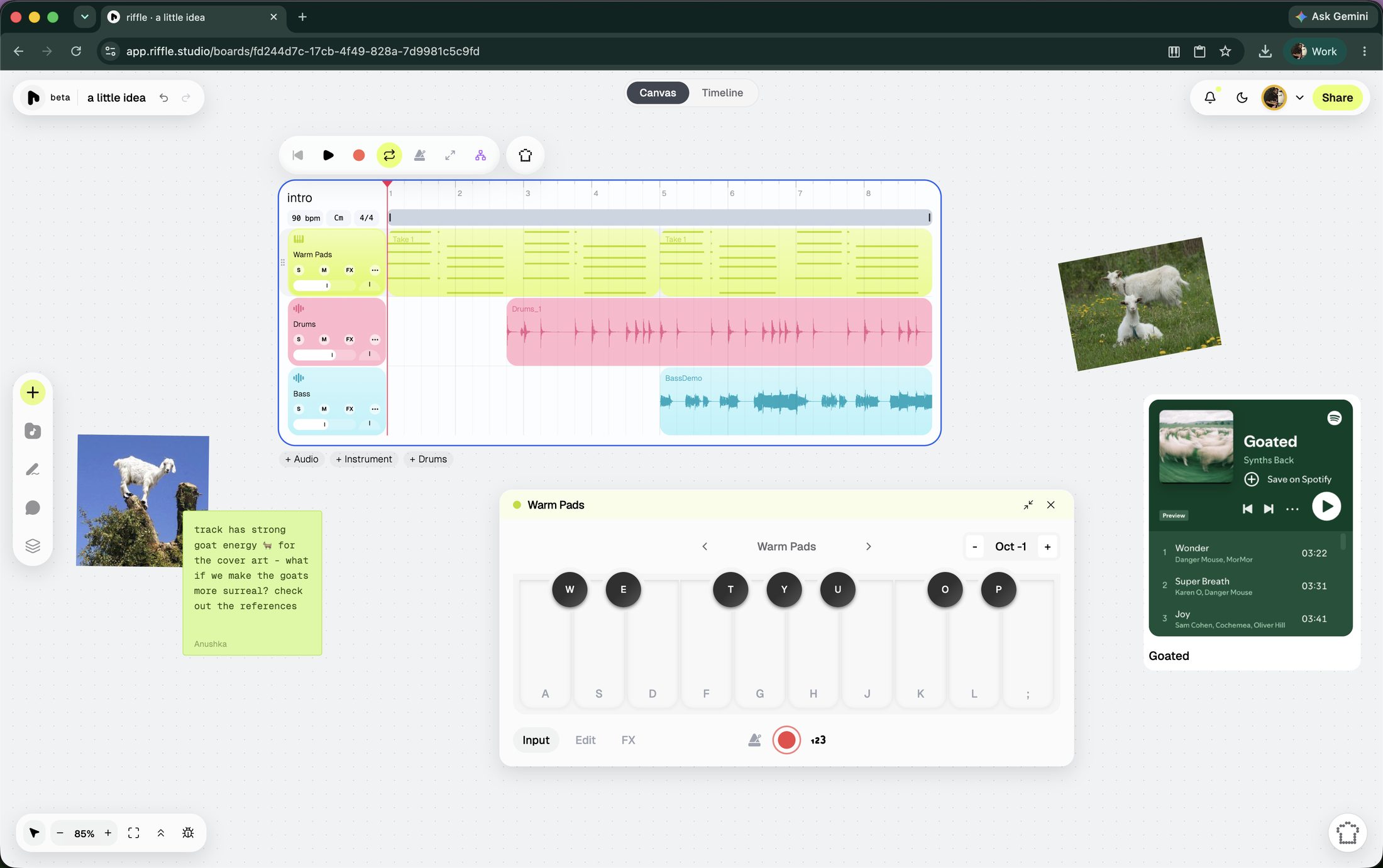
riffle, on the other hand, is a music studio in your browser. Record, drag in a sample from its sample library, or ask Sous Chef (the resident AI assistant) for a starting point, then arrange and finish everything on the same canvas. Bring in a collaborator and they can create with you in real time. You can also export your project as .wav stems or a .daw project file.
riffle is currently in beta and free for early users. see what’s been shipped lately.
at a glance
| riffle | Splice | |
|---|---|---|
| What it is | A studio - build the whole track in one place | A sample library - pairs with a separate DAW |
| Price | Free | $12.99/mo for Sounds, $19.99/mo for Creator, less billed yearly |
| Sounds | Built-in samples and instruments | 3M+ licensed samples to download |
| Layering sounds quickly | Drop loops onto the canvas and keep editing them there | “Create a Stack” auto-layers up to 8 key- and tempo-matched loops, which you then export to a DAW |
| AI tools | One assistant that does it all | Variations reshapes a sample's key, tempo or structure; Craft turns one into a playable instrument |
| DAW integration | riffle is the workspace | Plugs into any major DAW |
| Collaboration | Real-time, built in | None. Splice Studio, their collaboration product, closed in 2023 |
| Export | WAV stems or a .daw project file | Downloaded samples are yours to keep, royalty-free |
which one should you use?
Choose Splice if you want:
- A constantly updated library of millions of sounds
- Rent-to-own plugins and instruments
- To support a DAW workflow you've already set up
Choose riffle if you want:
- To find a sound and build the track in the same place
- Real-time collaboration, live
- A free, all-in-one workspace
faq
Is riffle an alternative to Splice?
Not exactly - Splice gives you a sound, riffle gives you the sound and a place to finish it. riffle has its own licensed sounds, so it works without Splice, but plenty of people use both.
Is Splice free?
Browsing is free; downloading costs credits. riffle is currently free and in beta, with sounds already available in the workspace.
Do I need Splice to make something in riffle?
No. riffle comes with its own sample and instrument library. You can still bring in Splice sounds, or anything else, whenever you want.
Is riffle a DAW?
riffle is a music-making tool, but it doesn't work like a traditional DAW. Instead of starting with a linear timeline and building from left to right, you get an infinite canvas where you can collect ideas, experiment, arrange them, and collaborate. There's also a timeline mode for when you're actually ready to lock in.
Can I collaborate with other people in riffle?
Yes. Multiple people can work on the same board in real time, or you can invite someone just to listen and leave comments.
Is riffle free?
riffle is currently in beta and free for early users.
riffle is free while we're in beta.
open a board and make something in the next few minutes.
free · no download · no card required